New version 6.2 of Joomla Book Library!

"Book Library - Joomla eBook software is the best eBook software for creating an online book library website, a public library website, or any book store website. The Joomla book library component (extension) offers great opportunities to manage your personal library or public library. This Joomla extension for library management allows different formats of eBooks for downloading (epub, mobi, fb2, rtf, txt). It can be used to set up and manage community libraries, university libraries, church libraries, private book collections, eBook catalogs, etc. Book Library is a functional and user-friendly Joomla book library component (extension) for library management that allows you to manage books, authors, categories of books, reviews, and suggestions.
Powerful Management Options from Frontend and Backend in Book library software
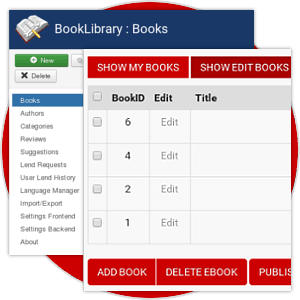
The Book Library module allows you to administrate your online book library website with ease. You can create multiple categories and subcategories, add books from the frontend and backend with details like title, author, book cover, and more. Additionally, Book Library - eBook extension (software) enables uploading eBooks of different formats: epub, mobi, fb2, rtf, txt, PDF files, and other eBook formats. The inbuilt review system allows you to add reviews (with ratings) from the frontend and manage them via the backend.
System of Lending books in Book Library
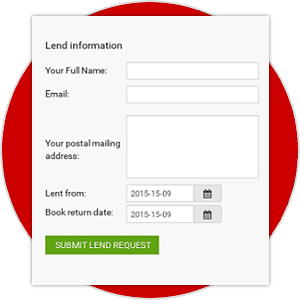
Book Library - Joomla book library component (extension) allows you to lend books from your online book catalog. The administrator can manage lend requests by accepting or declining them through the admin area. Also, you can manage lend requests from the frontend without accessing the backend area.
Earn Easily with Amazon ISBN in Book Library
Details of books (title, authors, covers, release information) in your online book store can be easily fetched from the Book Library module using Amazon ISBN (International Standard Book Number). With an Amazon Associates ID, you can earn credits from book sales through Amazon, while Amazon takes care of the handling and shipping.

Authors Management in Book Library - best eBook management software

In Book Library - best eBook management software, you can also manage the Authors of books, e.g., fill in the description of the author, insert a photo in the backend. Books from your website written by the Author will be automatically displayed on his profile page. Two layouts for displaying All Authors are available: default (with names and A-Z index) or photo layout (with names, photos of authors, and A-Z index). This can improve the search rankings of your online book collection or library website.
System of email notifications in Book Library - Joomla eBook software
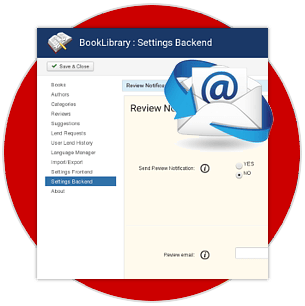
Book Library - Joomla eBook software supports sending user and admin email notifications such as new reviews, new lend requests, new book additions, and others. You can manage in settings what notifications should be sent, and using the Language Manager, you can change the text of emails.
Language pack in Book Library - Joomla book library component (extension)

In Book Library - Joomla book library component (extension), the admin can change language variables using a convenient tool for this - Language Manager. These variables are stored in one file, so they can be translated, and other languages can be added. Thanks to the community, the Joomla book library component is already translated into languages such as Arabic, Danish, Dutch, English, Farsi, French, German, Greek, Italian, Japanese, Lithuanian, Persian (Farsi), Portuguese, Russian, Serbian, Spanish, Turkish. If you have translated Book Library into a language not mentioned here, please Contact us and share the language file with others. The language pack is included in Book Library Pro, and the component will automatically pick up the main language of the website.
Set of additional modules, plugins and template for Book Library
Book Library is not just a Joomla book library extension; it also contains all the necessary modules and plugins to create a fully functional online book library website and manage it easily. Joomla modules for Book Library - Joomla eBook software include: Featured Books, Featured Authors, Search, Same Author module, Slideshow, Books Touch slider, Authors Touch Slider. Plugins for Book Library - best eBook software include: Search, Link in Content, Community Builder & Simple Membership (My books tab), SEO plugins (Xmap(OSMAP), SEF URLs, and Meta Tags). Further information about these modules and plugins can be found on the Modules and Plugins tab at the top of the page. Also, in the Book Library - Joomla book library component Pro Package, a Quickstart of the Classic Book Library template is included. In just a few minutes, you will be able to install the same public library website as the demo.
Professional Support

With dedicated professionals on hand to address any concerns or questions, users can feel confident that their needs will be met promptly and effectively. Contact Us.
What our clients are saying about Book Library - Joomla eBook software?
With more than 7 years of development, 60.000+ downloads and thousands of happy customers worldwide we are confident in the quality of our products. See what our clients say about Book Library - book library module.
"Very important component for a library. I have tried a lot of solution but this one it's the best. Compliment for the excellent support by the authors"
"After much searching the Ordasoft Book Library Pro component along with supporting modules is exactly what I needed and is money well spent. The support is first class and response time very quick. I had a few minor teething problems due to my Joomla settings and they were sorted out very quickly. Thank you for a great component."
"I'm using this for a digital library and its great and very easy to modify. I needed some changes and support was great and fast. Keep the good job!"
"This is an excellent component.If you want a digital library for your site,then this is the component for you.Has whole lot of all the required features and works beautifully.I had a few problems with the download options of ebooks after installing , mostly caused by my own misconfiguration of settings in the backend. I asked for a solution on the Ordasoft support forums and within a few hours,the admin solved my problem. I'm really very thankful to the developers of this component for their excellent work in developing this component. This is my first review of any component at Joomla and i wish I would have given 50 stars to it.....Made an account on Joomla just to write this review for this wonderful component. Thanx a lot..Ordasoft."
"I've been looking for 2 years for a great Amazon Associates component for Joomla. This is the one...... works perfectly and effortlessly. Very easy to set up, the pages it creates and displays are very attractive, and it works without a hiccup. Simply add the ISBN number from the book, and it does the rest. It imports the title, author, price, description, photo and more, and automatically creates a "buy" button keyed to your Amazon Associates account. This is simply elegant..... great job guys!"
"I love this component. It is extremely easy to use once you figure out how to get your Amazon AWS key. That is no fault of their own that Amazon makes it so hard, but I recommend maybe including a link or instructions on where to get it. I had a problem where I couldn't get it to fetch information from Amazon. I knew that the problem was hosting related because it worked on another site with a different host. Nevertheless, Ordasoft gave me speedy and thorough support and got it working right. They could have been like many other component developers and told me to talk to my host, but I appreciate that they worked with me. I have not purchased the premium version,but I plan to as soon as its financially feasible. It's not that expensive of a component, though."
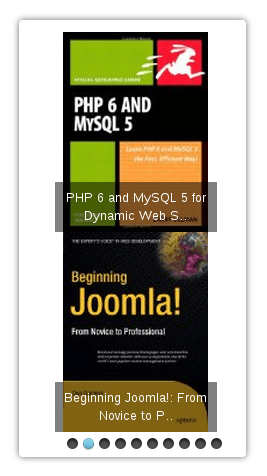
Module Touch Slider for Book Library - best eBook software(Pro)
Touch Slider is responsive Joomla slideshow for Book Library. Touch Slider for Book Library - best book library plugin supports touch navigation, so your customers will get the best experience sliding images of books on a touchscreen devices (smartphones or tablets). Options of Touch Slider include:
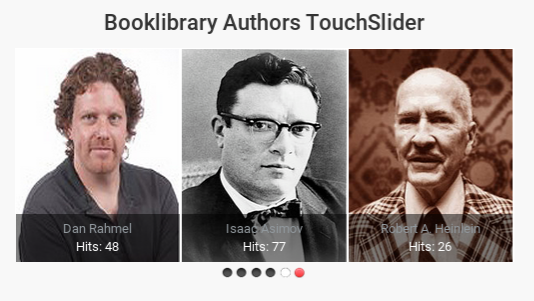
Module Touch Slider Authors for Book Library - eBook software (Pro)
Touch Slider Authors Module is responsive slideshow for Book Library - eBook software that displays Authors from Book Library. You can configure following options in Touch Slider Authors:
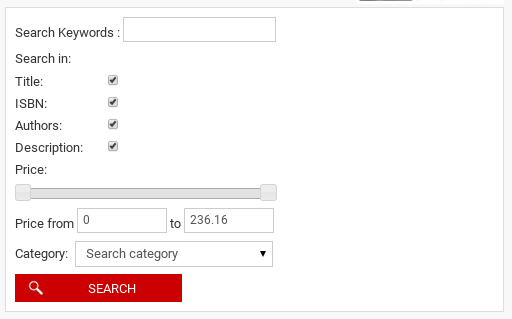
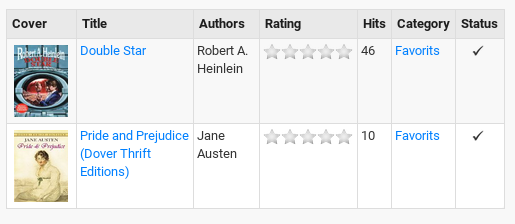
Module Search for Book Library - Joomla eBook software for creating book library website (Free & Pro)
Search is module for Book Library - book library plugin that helps users to find required books by different parameters - author, title, book ID, ISBN (International Standard Book Number), description, publisher, category, price. Options of Search module include:
* Free version includes links on ordasoft.com
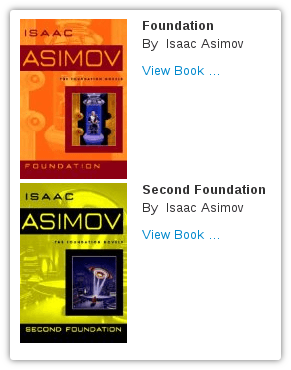
Module From Same Author for Book Library - Joomla book library component for library management(Free & Pro)
From Same Author is a module for Book Library - Joomla book library component for library management. This module displays books of the same author as page of the open book. Options of From Same Author module are:
* Free version includes links on ordasoft.com
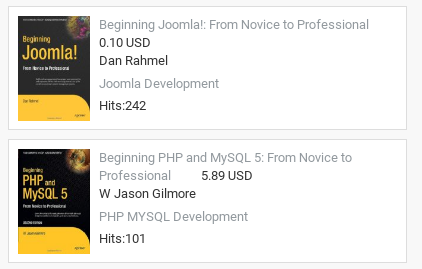
Module Featured for Book Library - Joomla book library component for library management (Free & Pro)
Featured module for Book Library - Joomla book library component for library management allows to display featured books from your book collection. You can display books from Book Library component by such parameters: date, hits, rating, categories or single books (only in pro version). Also you can set options:
* Free version includes links on ordasoft.com
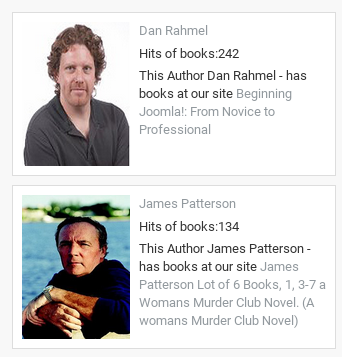
Module Featured Authors for Book Library - best eBook software (Free & Pro)
Featured Authors module for Book Library allows to display featured authors from Book Library - best book library plugin. You can display authors from Book Library component by such parameters: date, hits, hits of author's books, rating of author's Books, featured option (IDs of authors to display) - only in pro version. You can customize such options:
* Free version includes links on ordasoft.com

SEO plugins for Book Library - eBook extension (Free)
SEF Links plugin. Book Library - eBook extension SEF Links plugin is SEO plugin based on sh404SEF component. This plugin works only with sh404SEF component. It generates SEF (search engine friendly) URLs, which are readable for users and useful for SEO.
Xmap(OSMAP) plugin. Book Library Xmap plugin is plugin for Book Library - eBook extension that allows to add sitemap in your website. Xmap plugin fully comfortable with OSMap and mapX. Also, it works with Xmap.
Meta Tags plugin. Meta Tags plugin for Book Library - eBook extension allows to add meta tags (title, description and keywords) to books.
Plugin Search for Book Library extension for library management (Free)
Search plugin for Book Library allows to connect default Joomla search with Book Library extension for library management in your online library website. Users will be able to search books via default Joomla search.
Link-in-content plugin for Book Library extension for library management (Free)
This plugin for Book Library extension for library management allows to add link to books into content website. Plugin allows to show caption, photo and title.
Plugin Community Builder My Books for Book Library extension for library management (Free)
CB My Books plugin for Book Library allows to add tab My Books to Community Builder user's profile
Simple Membership "My books" Plugin for Book Library software (Free)
SM My Books plugin for Book Library software allows to add tab "My Books" to Simple Membership user's profile
Powerful features Book Library - Joomla eBook software
#Features
Basic
Pro
Pro Shop
Integration with VirtueMart for Direct Selling
PHP5
Uses new Amazon API (Amazon Associate Web Services)
Uses CURL for increased security (remote files)
Full Category & Subcategory support
User Lend Request function with calendar
Integrated [Search Books] function
Added to component page links to OrdaSoft.com
Ability to assign one book to multiple categories
Added tree structure of categories in backend add book
Changed price. Now it consists two values: price and price units
Added to search module possible search by price
Added number of pages
Changed Database Structure
Added semi automatic update mode
Rebuilt fetch info from Amazon. Now we do that with Curl
Changed rating book. Now it is average of reviews
Added RSS
Added send email to user about solution admin of lend request
Changed access to category. Be careful, access to books from several categories is a sum of access to this categories!
General Fixes
Basic
Pro
Pro Shop
Fixed rights: higher privileges now include lower
Fixed rights: admin can now select multiple groups
Bugfix: new books function when eBook support set to NO
Bugfix: empty Category with filled Subcategory now shows up
Checks CURL, XSL, GD present in PHP
Languages
Basic
Pro
Pro Shop
Fully language aware frontend and backend
English included, other languages can be downloaded from the website
Dutch, German, French, Italian, Persian(Farsi), Portuguese, Russian, Greek, Serbian and Spanish included
Frontend General
Basic
Pro
Pro Shop
Possibility create front end menu to books categories
Possibility create front end menu to books index
Possibility show books index
Possibility sort book at front end
Possibility add books from front end
Category & Subcategory show in Joomla pathway
Full language name in book description (English instead of ENG)
Main Category list now shows Subcategories
Hide book affiliate link (show internal Joomla URL)
Hide direct link to eBook download (show internal Joomla URL)
Hide eBook download link from download managers
Optional button [Buy Now]
Button [Add Review] with AJAX show-hide form
Button [Suggest Book] with AJAX show-hide form
CAPTCHA for Guest [Reviews] & [Suggestions]
Typed [Book Reviews] kept on screen even when wrong CAPTCHA entered
Show eBook download license before allowing ebook download
Possibility create link to search result
Extended search
Added book owner, option to show it on frontend
Added tree structure of categories in search frontend
Frontend General
Basic
Pro
Pro Shop
Community and Frontend Books Management
Community builder plugin. Connect Book library with Community builder component
Users can Add and Delete Books from frontend
Users can Publish and Unpublish Books from frontend
Users can manage Lend request from frontend
Users can check Lend History from frontend
Manage Books
Basic
Pro
Pro Shop
Extended filter for search books in Book Manager at Backend
Sorting improvements in [Book Manager]
[Print Report] option with fields choice in [Book Manager]
Added checks for empty Book ID to [Book Manager]
Possibility to customize eBook download URL
Administrator can add a direct link to an eBook
Allow external plugins (mambots) in book descriptions
Information Fetching
Basic
Pro
Pro Shop
Pull in book details with ISBN-10 from Amazon
Pull in book details with ISBN-13 (ca, com, uk)
Pull in Editorial Reviews (only from .com because of Amazon policy)
Added UTF-8 decoding for ISO DB (special characters and accents)
Button to set local book cover path automatically
39.50 protocol for info fetching from other libraries (needs PHP YAZ extension)
Fetching book info from openlibrary.org library
Manage Categories
Basic
Pro
Pro Shop
Possibility to assign different custom images to each Category (instead of having one standard icon for all)
Sorting improvements in [Category Manager]
Manage Reviews
Basic
Pro
Pro Shop
Book Review Management per single book
[Review Manager] for user submitted book reviews. Check, Edit, Delete reviews
Email to admin when [User Review] added
Manage Suggestions
Basic
Pro
Pro Shop
[Suggestion Manager] for user suggested books
Rights setting who is allowed to suggest books
Email to admin when [Book Suggestion] added
Manage Lend Requests
Basic
Pro
Pro Shop
Lend Request Manager in backend
Email to admin when Lend Request submitted
Import / Export Books
Basic
Pro
Pro Shop
CSV import/export with [Description]
XML import/export with [Description] and [Review]
Full MySQL tables import/export
Added explanations in [Import] and [Export] tabs
Changed import-export. Now we do full import/export with help XML
Configuration Frontend
Basic
Pro
Pro Shop
Option [Add Book Notification] with rights settings
Option [Review Notification] with rights settings
Option [Suggestion Notification] with rights settings
Option [Lend Request Notification] with rights settings
Option [Show Add Book] with rights and category settings
Option [Show Reviews] with rights settings
Option [Show Lend Status] with rights settings
Option [Suggest Book] button with rights settings
Show-hide [Buy Now] button with Category selection
Option [Show Book Price]
Option [Show Book Price] with rights settings
Option [Show eBooks Download Link] with rights settings
Option [Show eBooks Download License] before download
Option [Set Book Cover Size]
Option [Set Items Per Page]
Option [Custom Category Images]
Configuration Backend
Basic
Pro
Pro Shop
Set email addresses for [Add Book Notification]
Set email addresses for [Review Notification]
Set email addresses for [Suggestion Notification]
Set email addresses for [Lend Request Notification]
Option [BookID auto-increment] or manual entry
Option [Download Covers] with location setting
Option [eBook Support] with location setting
Option [Set Amazon Affiliate Tag]
Option [Set Amazon Web Services Access Key]
Option [Check Duplicate ISBN]
Option [Set Default Language] for new books
Option [merge description] for update books infor from amazon
Option [Set Default Amazon Server] for new books
About BookLibrary
Basic
Pro
Pro Shop
Added links to BookLibrary website
Sample Data
Basic
Pro
Pro Shop
Sample data at installation time (for starting users)
Documentations of Book Library - the best eBook software for library management
#
Introduction to Book Library for Joomla 3.x
How to install Book Library - Joomla eBook software for create book library website
Configure Settings Backend of Book Library - eBook management software for book library management
Create a menu entry for Book Library
Creating Book Categories in Book Library
Frontend Layouts and Views in Book Library
Submitting Book Reviews in Book Library
How to manage submitted book reviews in Book Library Management Software Submitting Lend Requests in Book Library
Managing Lend Requests in Book Library
Book Search in Book Library
Entering books through ISBN in Book Library - eBook management software Entering books manually in online library catalog software Entering eBooks in Book Library, Joomla library extension Using the Books Manager in Book Library, Joomla book extension Printing Reports in Book Library, Joomla bookstore software Exporting books to CSV in Book Library, book lending software Exporting books to XML in Book Library System Exporting books to Full XML in Book Library, library manager software Importing books from CSV into Book Library, Joomla bookstore software Importing books from XML into Book Library, books store software Importing books from Full XML into Joomla Book Library How to use Language Manager in Book Library Joomla How to add a new language to Book Library, ebook library manager Upgrade instructions for Book Library, Joomla elibrary solution Help, Book Library does not fetch my book descriptions! Export product from Book Library to Virtuemart, Joomla bookstore software
Creating Book Categories in Book Library
Frontend Layouts and Views in Book Library
Submitting Book Reviews in Book Library
How to manage submitted book reviews in Book Library Management Software Submitting Lend Requests in Book Library
Managing Lend Requests in Book Library
Book Search in Book Library
Entering books through ISBN in Book Library - eBook management software Entering books manually in online library catalog software Entering eBooks in Book Library, Joomla library extension Using the Books Manager in Book Library, Joomla book extension Printing Reports in Book Library, Joomla bookstore software Exporting books to CSV in Book Library, book lending software Exporting books to XML in Book Library System Exporting books to Full XML in Book Library, library manager software Importing books from CSV into Book Library, Joomla bookstore software Importing books from XML into Book Library, books store software Importing books from Full XML into Joomla Book Library How to use Language Manager in Book Library Joomla How to add a new language to Book Library, ebook library manager Upgrade instructions for Book Library, Joomla elibrary solution Help, Book Library does not fetch my book descriptions! Export product from Book Library to Virtuemart, Joomla bookstore software
Book Library Joomla templates
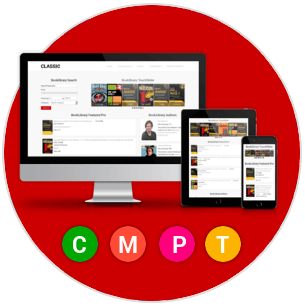
Beautifully designed responsive Book Library Joomla templates with integrated online book library on the base of Book Library - Joomla eBook software. All book library templates are Bootstrap based, cross-browser compatible, with responsive layout and Quickstart package. Quickstart package will help you to install Joomla template as on the demo in minutes. After this you have to change the sample data, insert images and your public library website will be ready. Choose your favorite eBook Joomla Templates and create book library website in minutes.


Versions of Book Library - Joomla book library component for library management
Select your version of Joomla book library component for library management and create online book library website
Basic
FREE
- Backend Management of Library
- 1 Layout (All Categories)
- Separate Language Pack
- Amazon API
- 10 Free Modules and Plugins
- Multicategories
- eBook download URL
PRO
$40
Basic Features
- Customers Frontend Book Management
- 10+ Layout and Views (?)
All Authors (Default & Photo)
All Categories
All Books (Default & List)
My Books
Owners List
Search Books
Single Category (Default & List)
Single User Book
View Author
View Book
- Extended search
- Email Notifications
- Import/Export
- Multilingual
- Advanced menu options
we support payment systems