How to install Joomla Component?
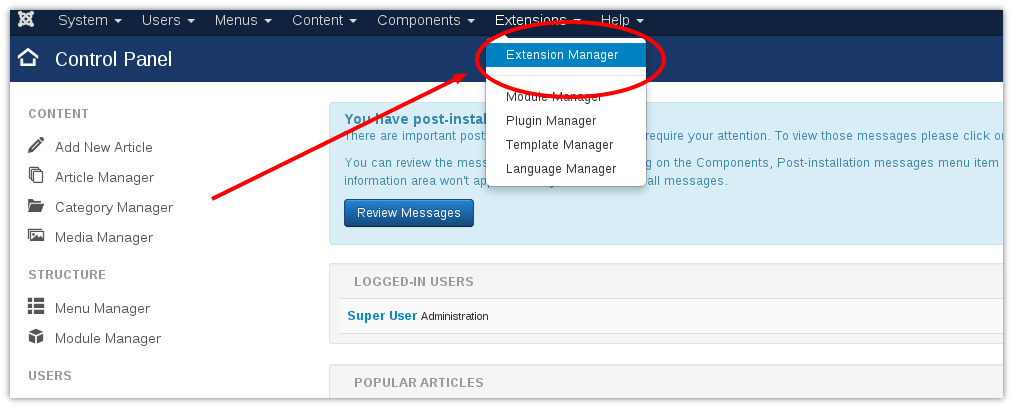
Step 1. Login to your Joomla Admin area > Extensions > Extension Manager.
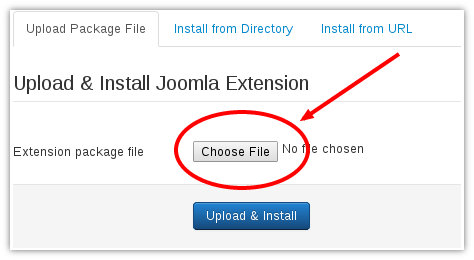
Step 2. In Extension Manager:
- In the Upload & Install Joomla Extension section click Choose File, select the component file that you want to install;
- Click Upload & Install to upload the file and complete the installation
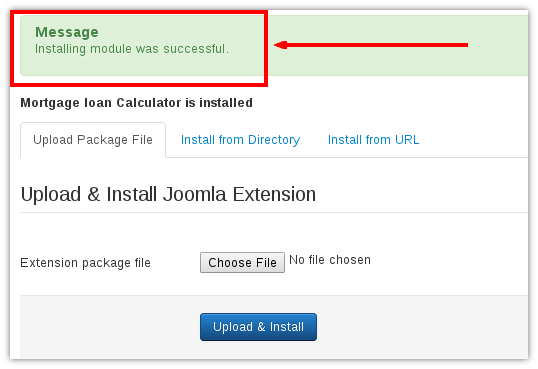
Step 3. When you click the Upload button, the Joomla component will hopefully upload successfully
Step 4. To perform some configuration to Joomla component, you have to select the Components menu and find the component you want to configurate
Step 5. To allow access to Joomla Component, a menu item must be created. In Joomla Admin area select Menus > Main Menu > New (button in right corner)
Download free components from OrdaSoft in Free Joomla Extensions
we support payment systems