06.Frontend Media List View in MediaLibrary 3.5.x Shop
In this article we will look at the frontend Media List in Category View of MediaLibrary 3.5.x Shop.
Frontend Media List View in MediaLibrary 3.5.x Shop
- Pathway
On the top you will see the Joomla pathway (breadcrumbs) reflecting where you are inside MediaLibrary. That part can also be used for easy navigation; the links are clickable (except for the current location). - Media
Comes from the menu entry name you created for MediaLibrary Software, followed by the Category name. - Media List
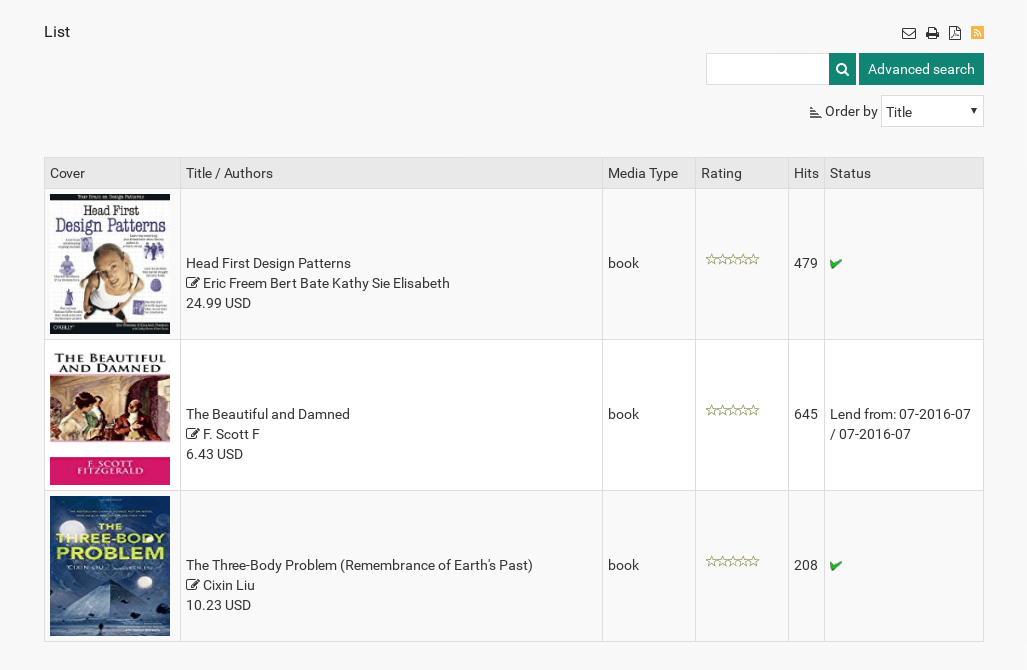
Show the Media list for the selected category, with Cover - Title - Authors - Rating - Hits - Lend Status. The Hits and Rating columns can be made to disappear if you prefer with a hack published in the forums. The Status column shows if the Media is available for lending (if you specified that option in Settings Frontend). A red cross means "Already Lent Out", a checkbox means "Available for Lending". Users can click the checkmark box and then click [Lend Request] to request the Media(s) for lending. If a user does not have the correct permissions to submit Lend Requests, then they will see a green checkmark instead of the checkbox. - Suggest Media
This button will show up if Show button [Suggest Media] is set to YES in [Settings Frontend]. It allows the user groups you specified in [Settings Frontend] to enter Media suggestions for inclusion in your library. - Add Media
This button will show up if Show button [Add Media] is set to YES in Settings Frontend. It allows the user groups you specified in Settings Frontend for Add Media for inclusion in your library. - Search Media
This is a link to the Search form for MediaLibrary
we support payment systems