10. Managing Lend Requests in MediaLibrary 3.5.x Shop
In this article we will look at the Lend Request Manager in MediaLibrary 3.5.x Shop.
Lend Request Management in MediaLibrary 3.5.x Shop
To manage user submitted Lend Requests in the Admin panel go to Components -> MediaLibrary -> Lend Requests. You will see next screen:
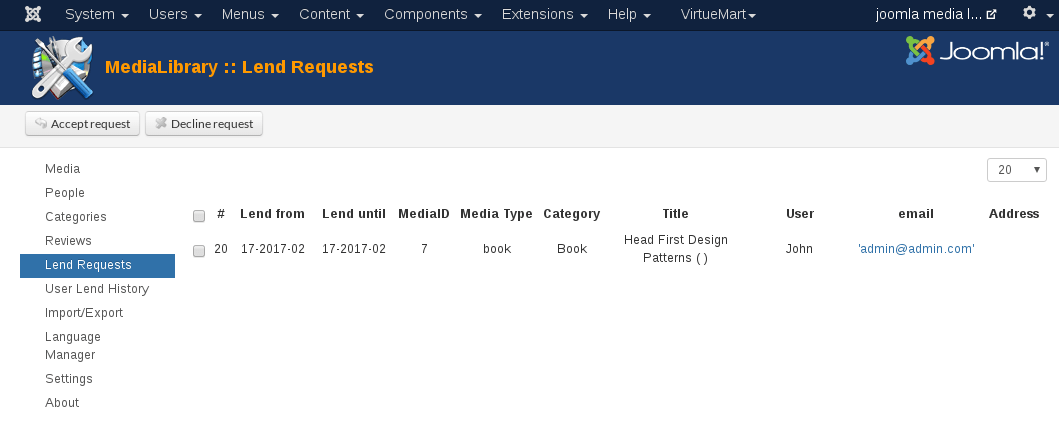
All pending Lend Requests will be shown here (in this case only one). On the top bar, there are two buttons: [Accept Request] and [Decline Request].
Reminders
The user's email address is clickable, so the admin can send reminders to the users easily from here.
Lend Request Flow
In Media Library if the Lend Request is declined user will receive an email saying that the Lend Request was not accepted. Admin must send email manual if it need. If the Lend Request is approved user will receive an email confirmation stating that the request has been approved and that the Media files are ready to be picked up at the Media library's address. Admin must send email manual if it need too.
Media Availability indication in the backend
In Media Manager return Lend Request of Media will show up by inverted arrow.
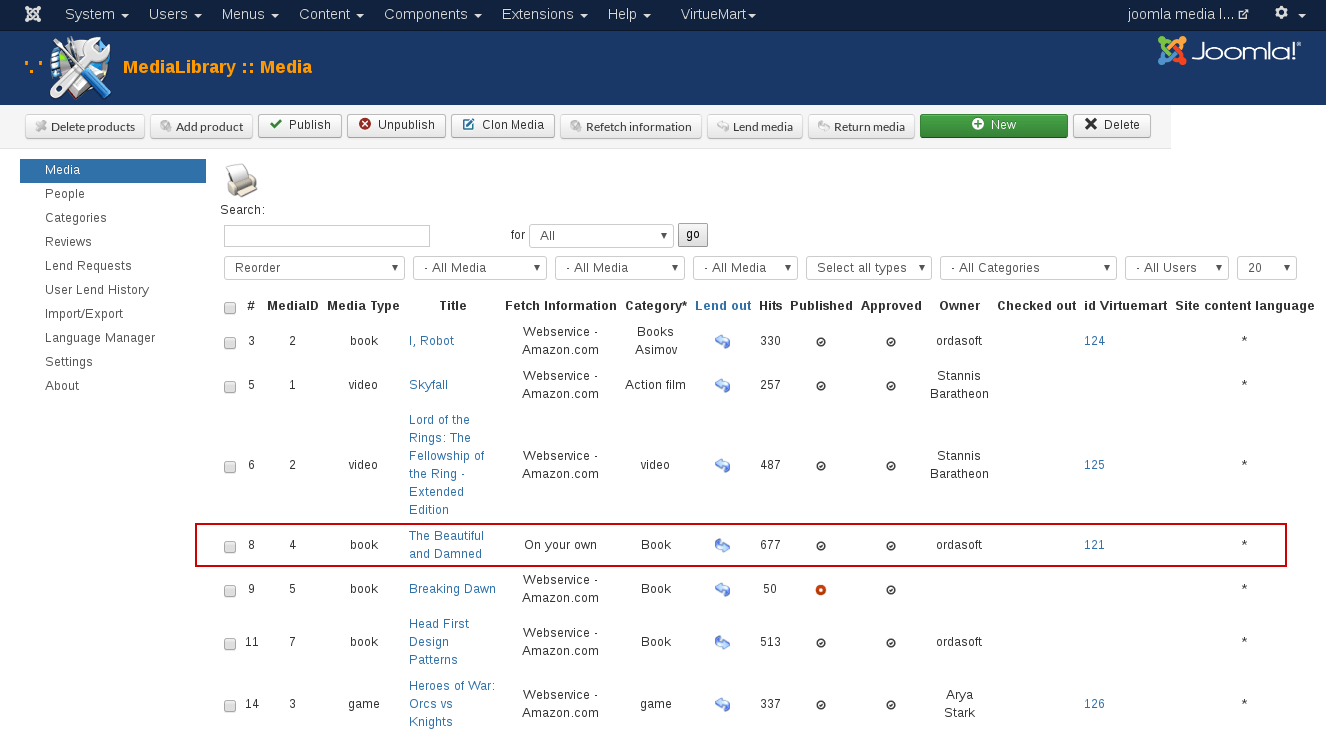
Lend Request inverted arrow is a clickable link, which will take you to the Return Media management page, from where you can check Media that were returned by the user:
Media Availability indication in the frontend
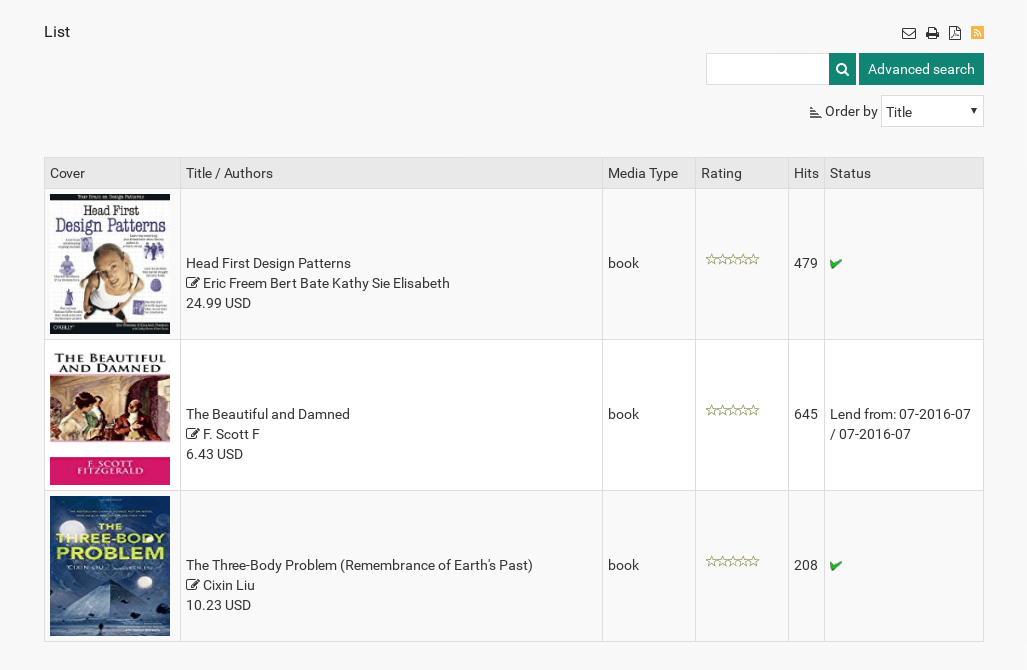
At the frontend Media details will show when the Media has been lent out. So other users know that the Media is not available for lending between the dates mentioned.
In the Category View, the lent out Media will have a red cross behind it, indicating that it is not available for lending. If the Media is available for lending Media will have a green checkmark.
That concludes the Lend Request Management cycle.
we support payment systems