11. Media Search in MediaLibrary 3.5.x Shop
In this article we will look at the Media Search function in MediaLibrary 3.5.x Shop.
Media Search in MediaLibrary 3.5.x Shop
In the frontend of the Joomla Media Library component you will see the [Search Media] field and [Advanced Search Media] button in the Category View:

and in the Media List inside each category:

Media Search page
Clicking the [Search Media] button will take you to the Media Search form:
Default Media Search page
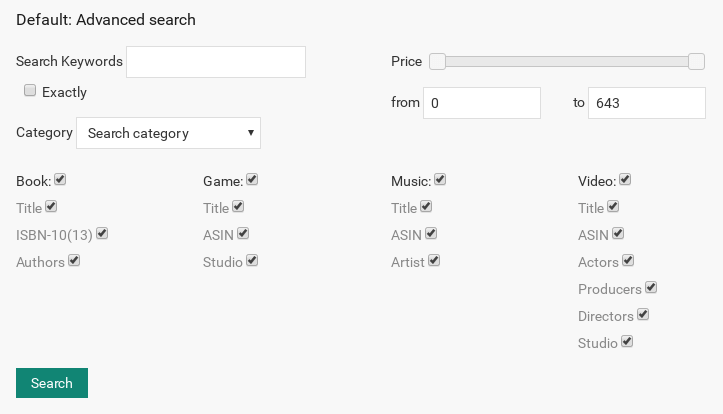
- By default the Search Media will search through all Media categories. Just enter the keywords you want to search for.
- By using the dropdown box (which will show all Media categories you have) you can restrict the search to a single category.
Media Advanced Search page

In Advanced search you will see the possibility to add available for lend, release date and advanced features: publisher, language etc.
Media Search will currently search through:
- ISBN/ASIN
- Authors
- Media Titles
- Media Descriptions
In the Support Forums you can find a hack to allow Media Search to search by [Publisher] as well.
we support payment systems