15. Using the Media Manager in MediaLibrary 3.5.x Shop
In the previous articles we already saw how we can fetch Media information form Amazon inside the Media Manager. In this article we will take a closer look at the MediaLibrary 3.5.x Shop Media Manager and see how an administrator can use that interface to Publish, Unpublish, Lend or Return Medias.
Media Manager
In the Admin panel go to Components -> MediaLibrary -> Media
From the Media Manager of Media library you can select one or multiple Media (checkmarks in front of the titles), then apply actions to them by buttons in the top bar.
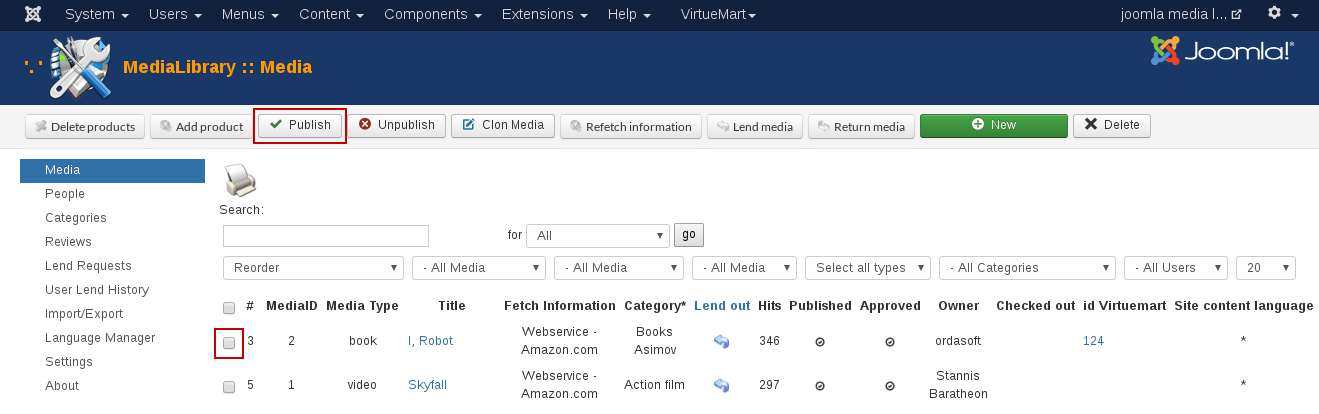
- Publish. Publish selected Media.
- Unpublish. Unpublish selected Media.
- Refetch Information
Fetch information from a different Amazon server for the selected Media. This will allow you for example to get different language information or pricing with the different currencies by selecting a different Amazon server. The action will of course only apply to selected Media. - Lend Media. You can lend out the selected Media to a particular user from here:
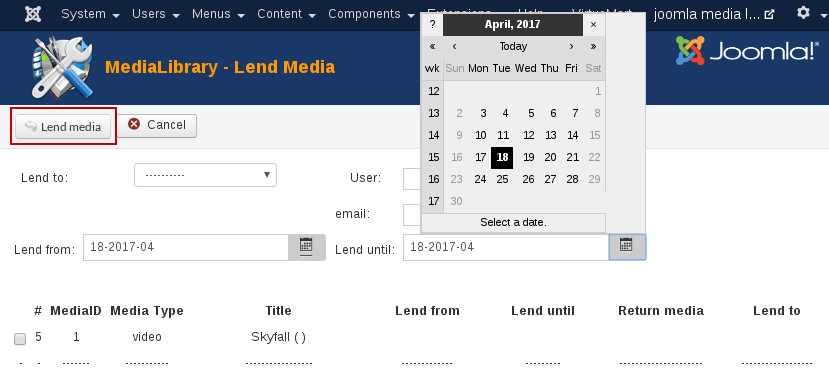
- Lent to: Just select the user from the dropdown box.
- User: Fill in username.
- Email: Fill in user email.
- Lent until:
Select the return date by clicking on the button (will show a calendar pop-up). When you have filled in the details, click the Lend Media button in the top bar. Once you have lent Media out, they will show up inside the Media Manager with a Lent until: date, as in the following screen:
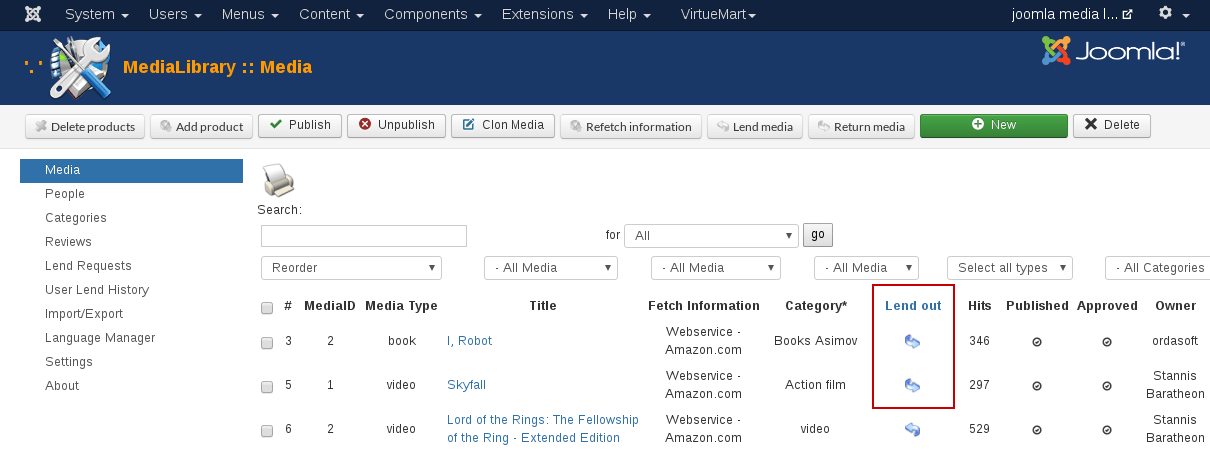
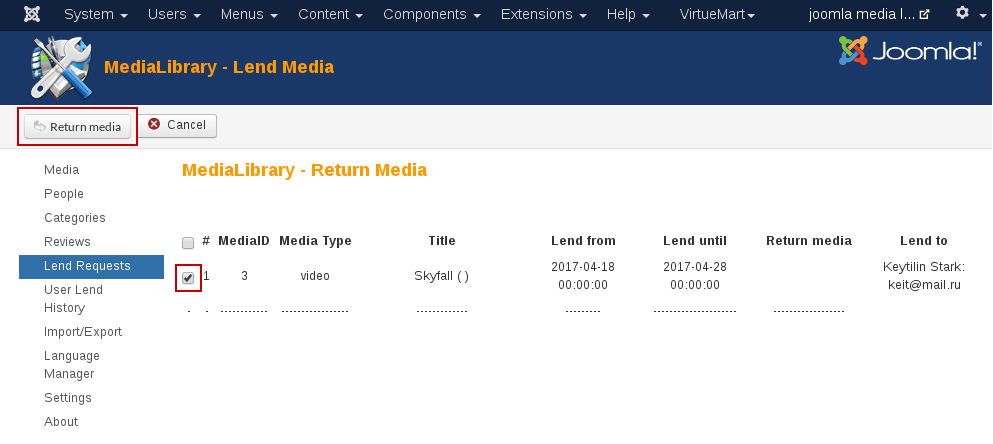
- Return Media. You can check in the selected Media as being returned from here.
we support payment systems