Currently media websites are become more and more popular, so OrdaSoft created a new Joomla extension OS Media library.
OS Media library software provides a full-featured media library or media collection management environment on a Joomla based website and allows you to manage large media libraries. Also OS Joomla extension connected with VirtueMart, so it allows media buying, supports with Amazon.com ASIN and allows you to create menu item.
Now you don't have to use a lot of individual Joomla extensions (video extensions, game extensions etc.), you can create media website only with help OS Media library! It's perfect for those, who wants to get ready media websites: media agency, online media library, online store for selling Music, Movies, Books, Games CD, DVDs, Blu-ray, e-books etc. Also your users will be able to get acquainted with audio/video files using media player (audio player, video player). Many objectives - one Media library software!
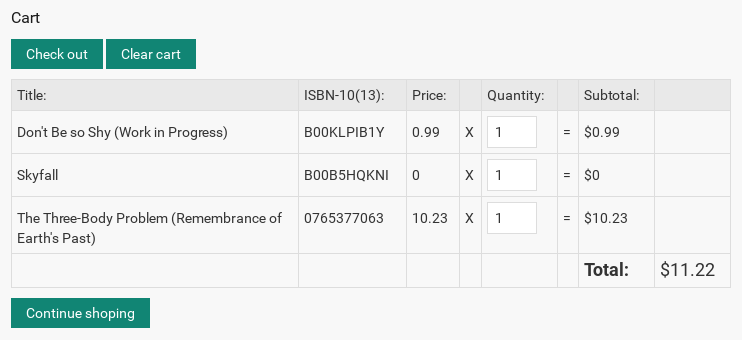
Media library Shopping cart
Media library provides direct selling of media items Music, Movies, Books, Games, CDs, Records & Music DVDs, Online Music CD, Hybrid CDs, DVDs, Blu-ray via Virtue Mart component.
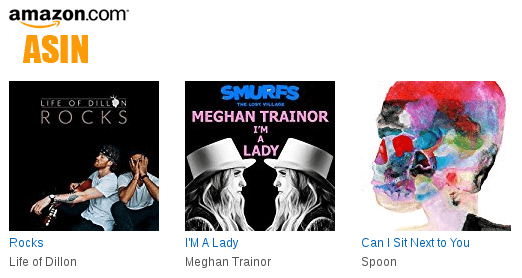
Media library support with Amazon.com ASIN
The Media library software can also be used to easily set up a media selling shop using Amazon. With an Amazon Associates ID you can earn credits with media sales through Amazon, while Amazon takes care of the handling and shipping.
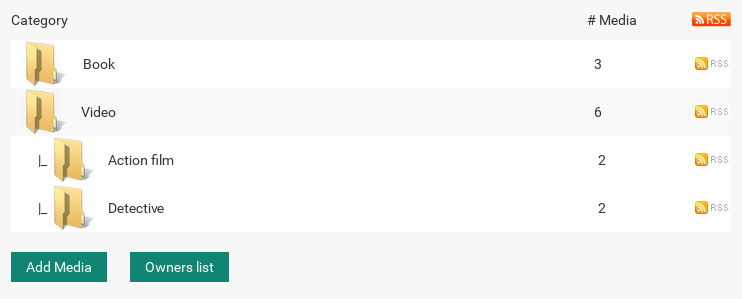
Category and menu items
Media library allows you to create menu item to media category; create an unlimited number of categories and subcategories; create menu item to media / game / video/ music / book owner list.
Ordasoft provides a lot of Joomla modules and Joomla plugins for Media library, making your online store more user and SEO friendly. Users can search, see last added, most popular Music, Movies, Books, Games, CDs, DVDs on your media store.
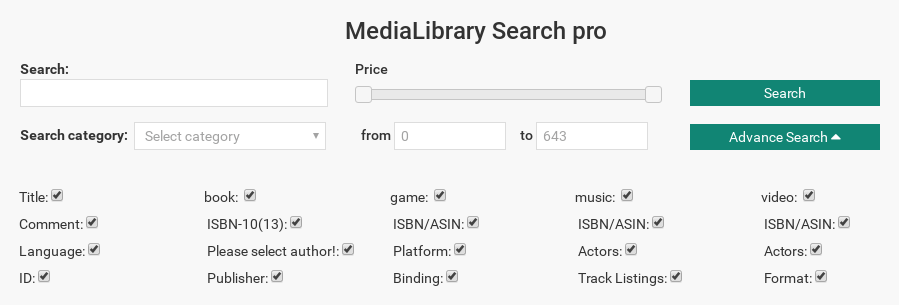
Media Library Search Media Module (Free & Pro)
Media library Search media module allows users to search Music, Movies, Books, Games, CDs, Records & Music DVDs, Online Music CD, Hybrid CDs, DVDs, Blu-ray by different parameters asin, artist, tracklist, actors, format, platform, binding, ISBN, authors, manufacturer + search box and search by category.
* Free version includes links on ordasoft.com
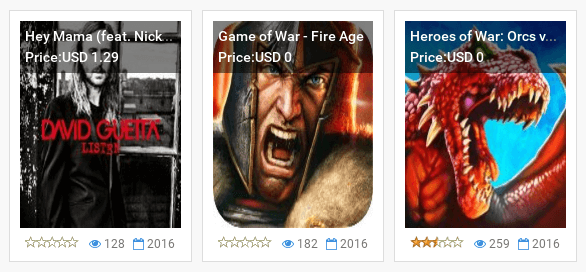
Media Library Featured Module
(Free & Pro)
Media library Fetured media module allows to display media items such us: Music, Movies, Books, Games, CDs, Records & Music DVDs, Online Music CD, Hybrid CDs, DVDs, Blu-ray by Count of media and IDs of categories. You can decide type of the media that will be shown for users.
* Free version includes links on ordasoft.com
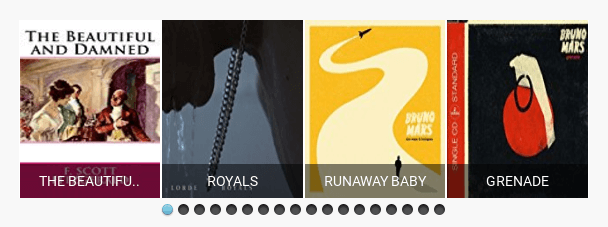
Media library Touch Slider Module
(Pro)
Media library Touch Slider Module allows to display media Music, Movies, Books, Games items. You can choice needed media files for showing by yourself. It's perfect for display advertisement media novelties.
* Free version includes links on ordasoft.com

Media Library OS Touch Slider People Module
(Free)
Module Media Library OS TouchSlider People Free allows you to display photos of artists, workers, directors in the form of slides.
* Free version includes links on ordasoft.com
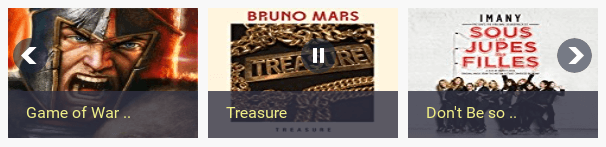
Media Library Slideshow Module
(Free)
Media Library Scroller module is free software for download and available in Joomla 3.X. Free software Media Library Scroller module shows in Media Library component most visited media (CDs, DVDs, audiobooks, books and another medias).
* Free version includes links on ordasoft.com
Media Library Search Plugin
(Free)
Media Library Search is a plugin that allows searching Music, Movies and other media items from Media Library component directly through the general Joomla module site search. Media Library Search plugin extends standard Joomla search. Joomla plugin connects Joomla search with Media Library Search. As a result, you get all relevant options.
* Free version includes links on ordasoft.com
Media library Media Link Plugin
(Free)
Media Link plugin allows you to insert a link to a media in Media Library component into content items. It shows caption, cover and title. You can insert the shortcode on your media to any article. It's very convenient, easy and clearly.
* Free version includes links on ordasoft.com
Media Library X-Map Plugin
(Free)
X-Map media library plugin allows you to show Media library and Media library categories in Xmap (a sitemap component from Vargas). All media files which were added to your website, you will see at sitemap and you will be able to submit it to Google master.
* Free version includes links on ordasoft.com
Languages For Media Library
(Free)
Component for simply Media Library website creation. Free Media Library Basic software component provides you with a full-featured media library or media collection management environment on a Joomla based website. MediaLibrary Basic allows for books, movies, music and games. The component can be used to easily set up a media selling shop using Amazon if you want. With an Amazon Associates ID you can earn credits with media sales from your site through Amazon, while Amazon takes care of the handling and shipping. The archive includes languages: Dutch, English, French, German, Russian, Italian, Spanish, Slovak.
* Free version includes links on ordasoft.com
Media Library SH404SEF Plugin
(Free)
This extension file for sh404SEF (sh404SEF native plugin) enables generation of Search Engine Friendly (SEF) URLs for free software component Media Library. Automatically generated URLs are composed from the media categories and media titles.
* Free version includes links on ordasoft.com
Media Library Meta Tags plugin
(Free)
SEO Meta Tags plugin for Media Library - free Media library software for download and available in Joomla 2.5. This best SEO (search Engine optimization) and SEM (Search engine marketing) tool for Media library software useful for librerian. This extension file for sh404SEF (sh404SEF native plugin) enables generation of Search Engine Friendly titles amd meta tags (meta keywords and meta descriptions) for free software Media Library. Automatically generated Title and meta keywords and meta descriptions for every Media(book, music, game, ebook, video) are composed from the media categories and Media titles.
Media Library is free for download software component for Joomla CMS allows you to manage and maintain a Media library, ebook catalog or book (music, game, ebook, video) collection (you can make public libraries and post pdf books, ebooks) with ease on a Joomla based website. Shows caption, cover and title.
* Free version includes links on ordasoft.com
Media Library Documentation
#
 Introduction to MediaLibrary 3.5.x Shop for Joomla 3.x
01. Installing MediaLibrary 3.5.x Shop
02. Configure MediaLibrary 3.5.x Shop Settings
03. Create a menu entry for MediaLibrary 3.5.x Shop
04. Creating media categories in MediaLibrary 3.5.x Shop
05. Frontend Category View in MediaLibrary 3.5.x Shop
06. Frontend Media List View in MediaLibrary 3.5.x Shop
07. Frontend Media Details Page in MediaLibrary 3.5.x Shop
08. Submitting Media Reviews in MediaLibrary 3.5.x Shop
09. Managing submitted Media Reviews in MediaLibrary 3.5.x Shop
10. Managing Lend Requests in MediaLibrary 3.5.x Shop
11. Media Search in MediaLibrary 3.5.x Shop
12. Entering Media through ISBN/ASIN in MediaLibrary 3.5.x Shop
13. Entering Media manually in MediaLibrary 3.5.x Shop
14. Entering eMedia in MediaLibrary 3.5.x Shop
15. Using the Media Manager in MediaLibrary 3.5.x Shop
16. Export product from MediaLibrary to Virtuemart
17. Printing Reports in MediaLibrary 3.5.x Shop
18. Exporting Medias to XML in MediaLibrary 3.5.x Shop
19. Importing Medias from XML into MediaLibrary 3.x Shop
20. How to control Information Fetching in MediaLibrary 3.x Shop
21. How to add a new language to MediaLibrary 3.5.x Shop
22. MediaLibrary 3.5.x Shop upgrade instructions
23. PHP5 Extensions for MediaLibrary 3.5.x Shop
24. MediaLibrary 3.5.x Shop CAPTCHA
25. Help, MediaLibrary does not fetch my Media descriptions!
How to translate components
Media Library Features
#Features
Basic
Pro
Pro Shop
Integration with VirtueMart for Direct selling


Shopping cart
PHP5
Uses new Amazon API (Amazon Associate Web Services)
Uses CURL for increased security (remote files)
Full Category & Subcategory support
User Lend Request function with calendar
Simi automatic update mode
Gallery view, for show media
Full dealer / agent site support
Interface for create full user / dealer / agent profile where from user / dealer / agent will can from site frontend full control add / edit / delete / publish / unpublish self media / books / music / video / games
Integrated [Search Books] function
Category Access
Video and track support
Audio support
Multicategories
General Fixes
Basic
Pro
Pro Shop
Bugfix: empty Category with filled Subcategory now shows up
Checks CURL, XSL, GD present in PHP
Languages
Basic
Pro
Pro Shop
Fully language aware frontend and backend
English included, other languages can be downloaded from the website
Spanish, German, French, Dutch, Italian, Serbian, Slovak and Russian included
Frontend General
Basic
Pro
Pro Shop
Media owner, and option for show it on frontend
Media owner list, and option With User Right check for show it on frontend
Frontend possibility sort media by price/title
Bookowner, option to show it on frontend
Category & Subcategory show in Joomla pathway
Access to category. Be careful, access to media from several categories is a sum of access to this categories!
Full language name in media description (English instead of ENG)
Possibility add new media from Frontend
Main Category list now shows Subcategories
Possibility add new media from Frontend
Hide direct link to eMedia download (show internal Joomla URL)
Hide eMedia download link from download managers
Optional button [Buy Now]
Button [Add Review] with AJAX show-hide form
CAPTCHA for Guest [Reviews]
Typed [Media Reviews] kept on screen even when wrong CAPTCHA entered
Show eMedia download license before allowing ebook download
Added possibility for change order for media items
Added possibility create menu items to all categories, all music, all book, all game and all video
RSS
Possible search by price
Number of pages
Manage Books
Basic
Pro
Pro Shop
Sorting in [Media Manager]
Sorting improvements in [Media Manager]
[Print Report] option with fields choice in [Media Manager]
Added checks for empty MediaID to [Media Manager]
Possibility to customize eMedia download URL
Administrator can add a direct link to eMedia
Allow external mambots in media descriptions
Option to set default Amazon server for new media
Information Fetching
Basic
Pro
Pro Shop
Pull in book details with ISBN-10 from Amazon
Pull in book details with ISBN-13 (ca, com, uk), media details with ASIN
Pull in Editorial Reviews (only from .com because of Amazon policy)
Fetch info from Amazon. With help Curl
Button to set local media cover path automatically
Manage Categories
Basic
Pro
Pro Shop
Possibility to assign different custom images to each Category (instead of having one standard icon for all)
Sorting improvements in [Category Manager]
Manage Reviews
Basic
Pro
Pro Shop
Media Review Management per single book
[Review Manager] for user submitted media reviews
Email to admin when [User Review] added
Manage Lend Requests
Basic
Pro
Pro Shop
Lend Request Manager in backend
Send email to user about solution admin of lend request
Template for email what we send to user about solution admin of lend request
Email to admin when Lend Request submitted
Import / Export Media (Books, Video, Musics, Games)
Basic
Pro
Pro Shop
XML import / export with [Description] and [Review]
Full MySQL import / export
Added explanations in [Import] and [Export] tabs
Configuration Frontend
Basic
Pro
Pro Shop
Option for set how users can see all media: gallery or list
Option [Default order type] with rights settings
Option [Music order type] with rights settings
Option [Book order type] with rights settings
Option [Video order type] with rights settings
Option [Game order type] with rights settings
Option [Add Media Notification] with rights settings
Option [Review Notification] with rights settings
Option [Lend Request Notification] with rights settings
Option [Show Add Media button] with rights settings
Option [Show Reviews] with rights settings
Option [Show Lend Status] with rights settings
Option [Shows literally index]
Option [Shows people literally index]
Option [Show search field] with rights settings
Option [Show advanced search] with rights settings
Show-hide [Buy Now] button with Category selection
Option [Show Media Price]
Option [Show Media Price] with rights settings
Option [Show eMedia Download Link] with rights settings
Option [Show eMedia Download License] before download
Option [Set Media Cover Size]
Option [Author photo size]
Option [Set Items Per Page]
Option [Media count in the audio player]
Option [Media count in the video player]
Option [People count on the page]
Option [Custom Category Images]
Send email to friend with link to media, with set to admin rights who can do that
Print media what like, with set to admin rights who can do that
PDF media what like, with set to admin rights who can do that
Configuration Backend
Basic
Pro
Pro Shop
Set email addresses for [Add media]
Set email addresses for [Review Notification]
Set email addresses for [Lend Request Notification]
Email Notify Admin about some rent expire soon
Allowed Exts Video
Allowed Exts Track
Allowed Exts Audio
Allowed Exts eDocument
Allowed Exts Audio
Option [MediaID auto-increment] or manual entry
Option [Download Covers] with location setting
Option [eMedia Support] with location setting
Option [Set Amazon Affiliate Tag]
Option [Set Amazon Web Services Access Key]
Option [Check Duplicate ISBN/ASIN]
Option [Set Default Language] for new media
Admin possibility approve / unapprove / publish / unpublish any media on site
Admin possibility set option for auto publish / approve media from users with possibility check User Right groups
Admin possibility create menu item to some media / game / video / music / book category
Admin possibility create menu item to media / game / video / music / book owner list
Admin possibility create menu item to My media list
Admin possibility create menu item to some owner/dialer media list
Option [Set Default Amazon Server] for new media
About Media Library
Basic
Pro
Pro Shop
Added links to JoomlaWebServer website (for support, downloads, etc.)
Sample Data
Basic
Pro
Pro Shop
Sample data at installation time (for starting users)
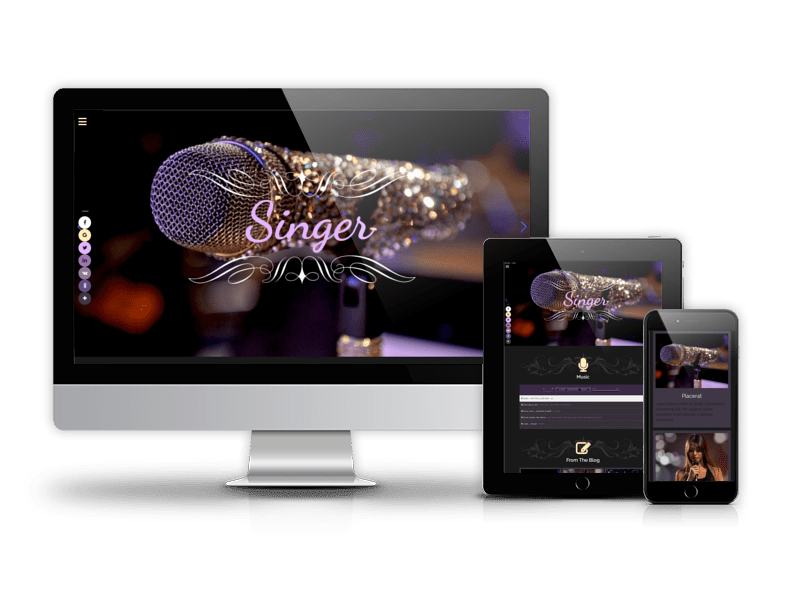
Joomla templates based on Media Library - Joomla extension
Media Library Editions
Select your Media Library edition and create media library website and online store
Basic
FREE
- Import/Export
- Amazon API ASIN
- Media gallery
- Reviews
- Play Video
- Play Audio
- Modules
- Plugins
PRO
$50
Basic Features
- Multicategories
- RSS
- Email Notification
- Advertisement module positions
- Multilingual
- Advanced menu options
PRO Shop Package
$65
PRO Features
- 10+ Modules and Plugins (Search, Featured, New Media, Random, Top Listing and more)
- Media Library Manual PDF
- Free Support
- Integration with VirtueMart
- Shopping cart
Developer Membership
$259
- 1 Year Duration
- All Joomla Templates
- All Joomla Extensions(?) Real Estate Manager
Vehicle Manager
OS Touch Slider
OS Image Gallery
Book Library
SEF Translate
Media Library
Location Map
and more... - Updates during membership
- Forum Support
- Email Support
- Renewal Discount
we support payment systems